AI WorkDeck · 커뮤니티 에디션

Less switching. More doing.

The AI workspace for lawyers and document professionals. Documents, conversations and research, all in one place.

설치 불필요 · 웹 미리보기

AI WorkDeck Community Edition demonstration: project files, document editing and the AI assistant, side by side in one workspace

01 / EVERY SOURCE, CLOSE AT HAND

One file opensa whole project.

Documents, slides, PDFs, images and audio belong together. Browse, preview and manage your project from the folders on the left.

Open a folder → Select a source → Preview in place

Next, move naturally into editing
Explorer — AI WorkDeck sample project

02 / FROM READING TO WRITING

Familiar writing.All the context.

Edit, format and review documents in the middle, just as you would in Word. Your source files stay within reach as the next draft takes shape.

Write and format · Track changes · Review

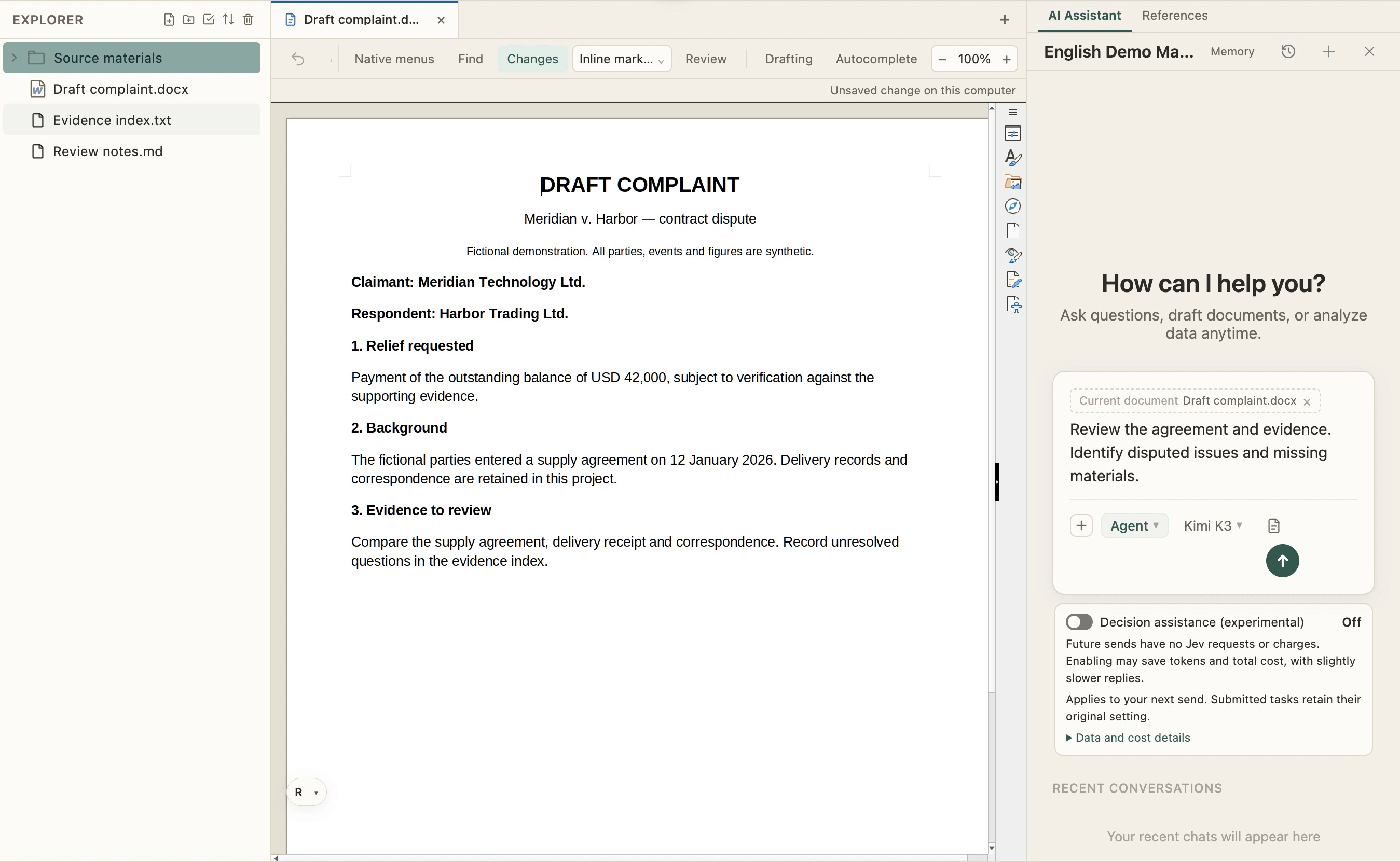
Bring the AI on your right into the work

Document editor — AI WorkDeck sample project

03 / PUT YOUR CONTEXT TO WORK

From a conversationto a changed file.

Ask AI to revise the open document using project materials, or organize the folder on the left. The conversation, sources and results share one workspace.

“Revise this paragraph using the contract, then list missing materials.”

There is more to explore, hands on

AI collaboration — AI WorkDeck sample project

EXPLORE AI WORKDECK

More possibilities, on your left.

Search, redaction, plugins and Skills, with favorites and clipboard close at hand.

Get to know more
Windows · macOS · Open-source community editionView source28 community skills

아티클

실제 사건에서의 활용 사례

WeChat 공식 계정에서 제품 사용 가이드와 노트를 발행하고 있습니다. 각 카드를 클릭하면 WeChat의 전체 글이 열립니다.

요금제

간단하고 투명한 요금제

월 149위안에 AI 사용량, 클립보드, 스테이징 및 3GB 클라우드 스토리지 제공.

가입하고 $3의 가입 Credits를 받으세요

문서를 장악하세요. 미래를 장악하세요.

다운로드, 설치, 로그인 — 두 단계면 바로 업무를 시작합니다.